Stemb
A downloadable tool for macOS
Stemb
Think Spotify for your Ableton projects
Features
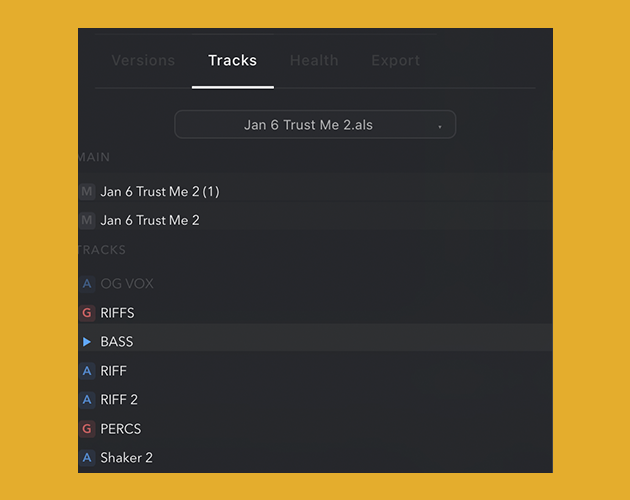
- Auto-export projects individual tracks
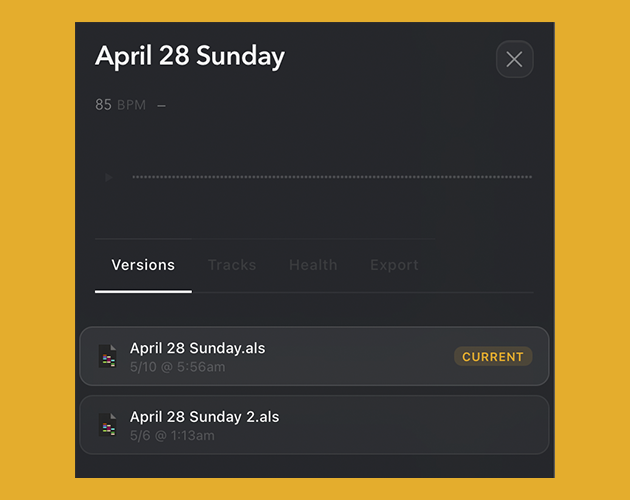
- Scan & audio preview project, tracks and samples without opening Ableton
- Search and filter projects by bpm, key, type, and genre
- Detect and fix missing external samples and plugins quickly
- Keep your entire catalog clean, browsable, and ready to create
Download
Install instructions
Install instructions
Easy Install Guide
Follow these steps in order. Most users are done in 2-3 minutes.
1. Download and Install
- Download
Stemb-macOS-Installer.zip. - Double-click the ZIP to unzip it.
- Open
Stemb-1.0.0.dmg. - Drag Stembe.app into your Applications folder.
- Eject the DMG.
2. Open Stembe the First Time
If Stemb opens normally, skip to Step 3.
If macOS shows a warning like "Stemb is damaged" or "can't be opened", use this fix:
- Open Terminal.
- Paste and run:
xattr -dr com.apple.quarantine /Applications/Stemb.app
- Try opening Stemb again from Applications.
If it still does not open, run these two commands:
codesign --force --deep --sign - /Applications/Stemb.app xattr -dr com.apple.quarantine /Applications/Stemb.app
Alternative method: right-click Stemb.app -> Open, or go to System Settings -> Privacy & Security and click Open Anyway.
3. First-Time Setup in Stemb
- Open Stemb.
- Click Add Folder.
- Choose your Ableton projects folder.
- Wait for scan to finish.
4. Optional: Enable Stem Export in Ableton
Only needed if you want automatic stem export.
- In Stemb, go to Settings.
- Under MIDI Remote Script, click Reinstall.
- In Ableton Live, open Preferences -> Link / Tempo / MIDI.
- Add a Control Surface and select StembScript.
- Restart Ableton Live.
Troubleshooting
If you still have issues, share:
- Your macOS version
- The exact error message
- Which step failed

Leave a comment
Log in with itch.io to leave a comment.